关于vuedraggable拖拽组件传递插槽,子组件无法拖拽的问题
问题的产生
在开发elysia低代码表单设计器时遇到一个难受点: 每次开发一个容器组件时,都要传递一些固定的属性,如list、group、ghostClass、animation、item-key、component-data等属性。
示例:
<template>
  <static-wrapper :widget="widget">
    <a-card :title="widget.options.title">
      <!-- 主要看以下代码 -->
      <draggable
        :list="widget.childrenList"
        handle=".move-area"
        :move="checkMove"
        :clone="clone"
        group="dragGroup"
        ghostClass="ghost"
        :animation="300"
        :component-data="{ index: widget.path, type: widget.name }"
        item-key="id"
        :disabled="isViewStatus"
        @end="onEndMove"
      >
        <template #item="{ element }">
          <component
            :is="'elysia-' + element.name"
            :widget="element"
            :key="element.id"
          ></component>
        </template>
      </draggable>
    </a-card>
  </static-wrapper>
</template>
<script setup>
// 省略一些模块导入
defineProps({
  widget: {
    type: Object,
    required: true
  }
})

const onEndMove = () => {
  // 省略
}
</script>
每次开发一个新的容器组件都得这样写,虽说可以使用vscode的用户代码片段来快速生成,但还是尝试封装了一下组件。
最开始是这样写的:通过v-for把vuedraggable的所有插槽通过动态插槽分发下去
<!--container-draggable.vue-->
<template>
  <draggable
    v-bind="$attrs"
    :list="widget.childrenList"
    :handle="handle"
    :move="checkMove"
    :clone="clone"
    :group="group"
    :ghostClass="ghostClass"
    :animation="animation"
    :component-data="{ index: widget.path, type: widget.name }"
    :item-key="itemKey"
    :disabled="isViewStatus"
    @end="onEndMove"
  >
    <!-- 循环插槽并分发下去 -->
    <template v-for="slotKey in Object.keys($slots)" v-slot:[slotKey]="scope">
      <slot v-bind="scope"></slot>
    </template>
  </draggable>
</template>
<script setup>
import draggable from 'vuedraggable'
// 省略一些导入的模块

// 除了`widget`必须传递,其他可选均有默认值
const props = defineProps({
  group: {
    type: [String, Object],
    default: () => ({
      name: 'dragGroup',
      pull: true,
      put: true
    })
  },
  ghostClass: {
    type: String,
    default: 'ghost'
  },
  animation: {
    type: Number,
    default: 300
  },
  widget: {
    type: Object,
    required: true
  },
  itemKey: {
    type: String,
    default: 'id'
  },
  // 可以进行拖拽操作的区域
  handle: {
    type: String,
    default: '.move-area'
  }
})

const onEndMove = evt => {
  // 省略
}
</script>
使用只需要传递一个widget对象即可:
<template>
  <static-wrapper :widget="widget">
    <container-draggable :widget="widget"></container-draggable>
  </static-wrapper>
</template>
<script setup>
// 省略一些模块导入
import containerDraggable from 'path/container-draggable.vue'
defineProps({
  widget: {
    type: Object,
    required: true
  }
})
</script>
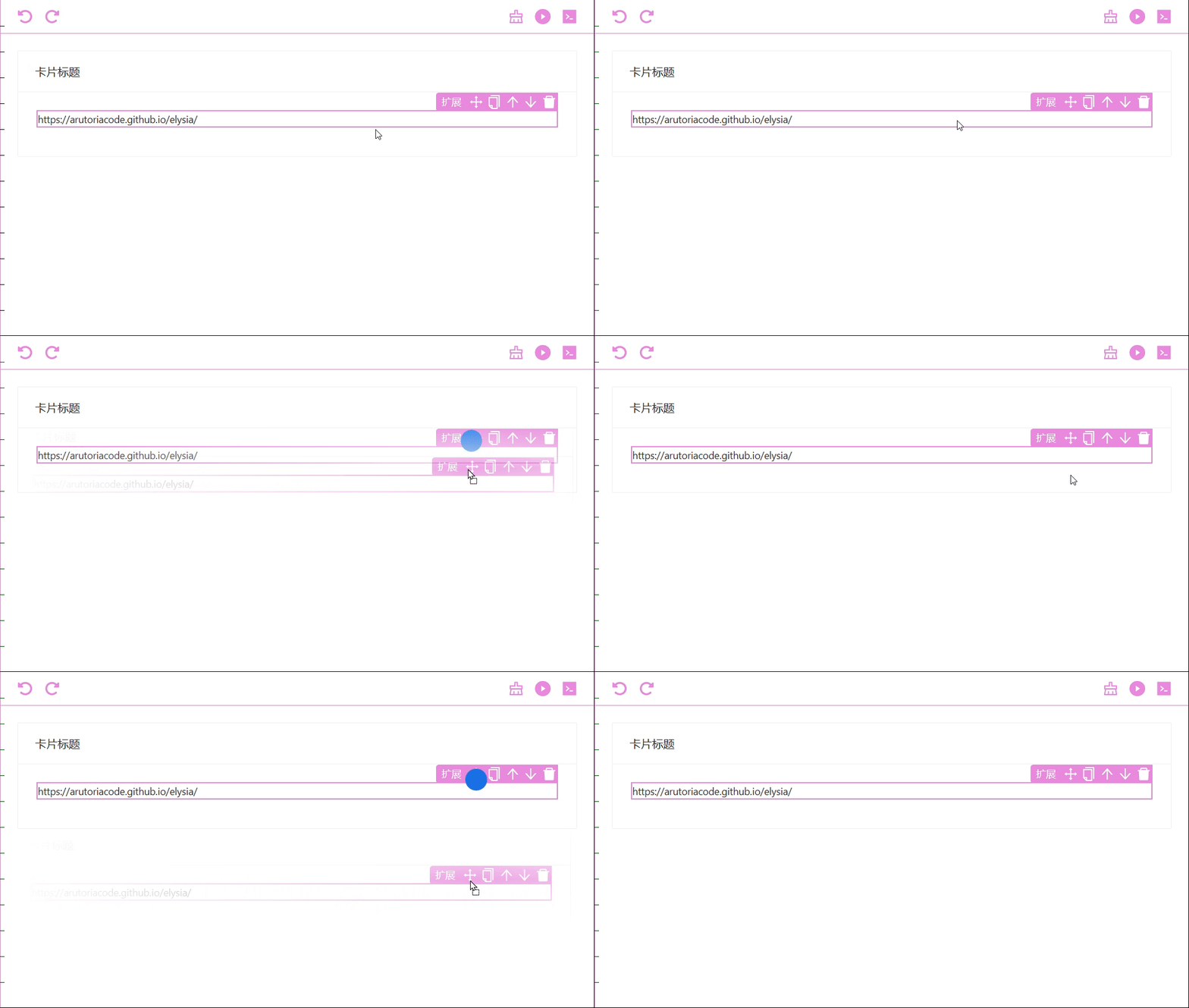
本以为就这样结束了,运行也能把组件拖拽进去,但却发现无法拖拽出来,这就尴尬了。
问题的溯源
在寻找问题的根源时,发现了实际拖拽的是其父组件
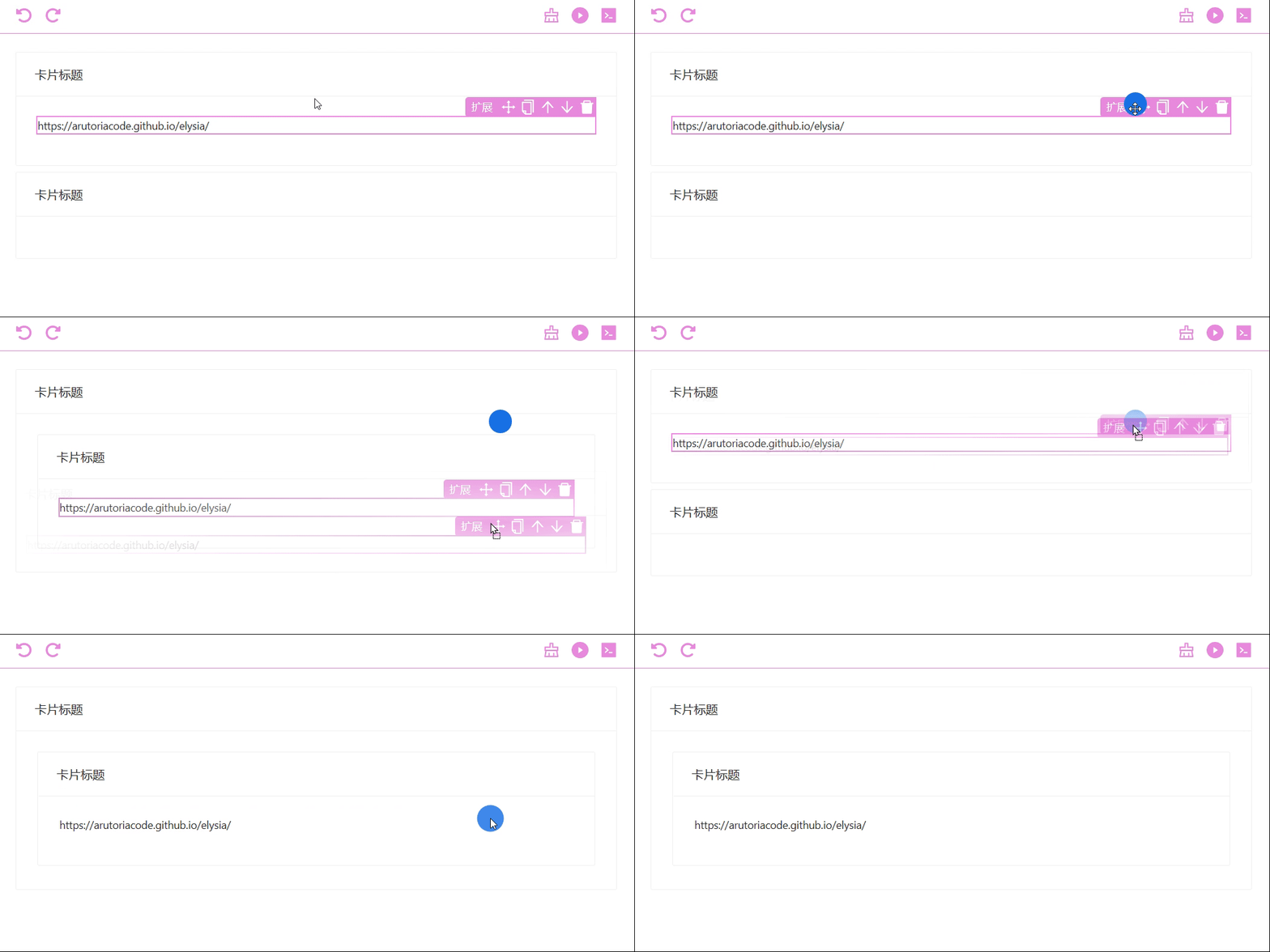
这时候我在想是不是事件冒泡的原因,也给各种事件加上了eventName.stop防止,但还是没有效果。
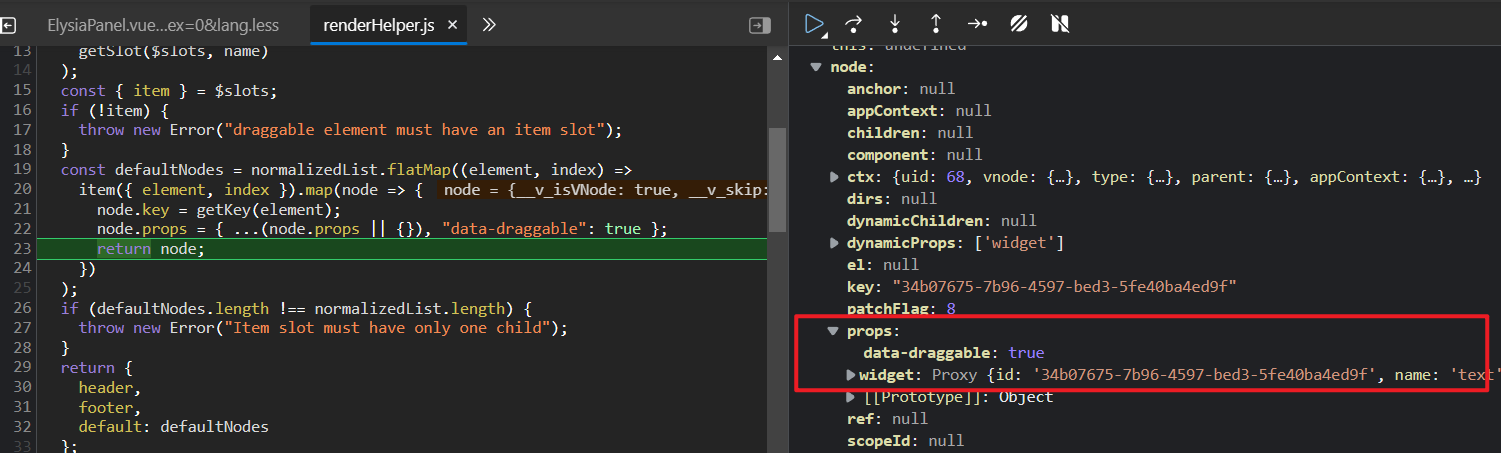
就这样又去看了vuedraggable的源码,又在浏览器进行debugger断点调试,发现咋整实际拖拽都是父组件(也就是图中的卡片组件)
在换回vuedraggable直接使用也没问题啊,可以正常拖拽进去、出来,就这样又怀疑到是不是动态插槽分发导致的;
就这样我尝试只把item插槽分发下去,反正其他header和footer插槽用不上
<template #item="scope">
  <slot v-bind="scope"></slot>
</template>
但可惜并没有效果,有了打消使用包装vuedraggable组件的念头。
问题的解决
本着已经怀疑到插槽身上,就尝试打了个断点。
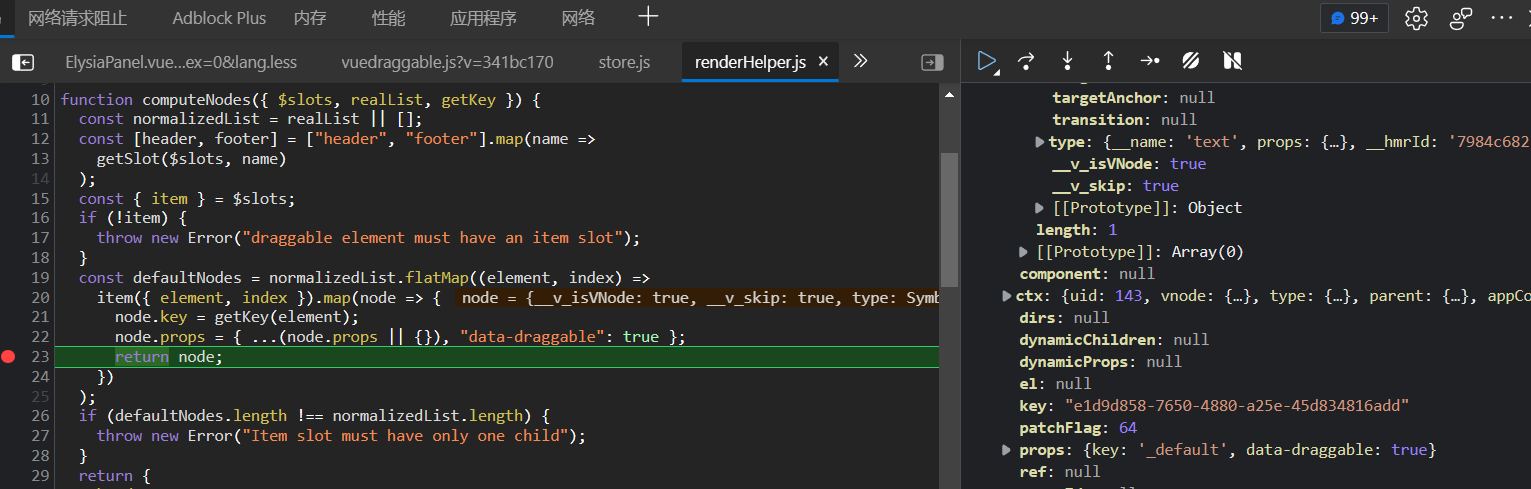
然后就发现 node.props.key 有点不太对劲,这是把插槽默认插槽 当做拖拽对象了,也可以看到 node.ctx 指向的就是卡片组件,这就是问题所在了,那么该咋解决呢?
在插槽外面加个div就行了,这样他的指向就没问题了,也可以从卡片正常拖拽出去了,问题解决。
<template #item="scope">
  <div>
    <slot v-bind="scope"></slot>
  </div>
</template>
debugger调试,可以看到node.props不再单单是一个插槽的key了